
Mili up and running,in three steps.
An agent that runs at your place, an app to talk to it from anywhere — and, when you’re ready, one console for the whole fleet.
Install the agent at your place.
The agent is Mili’s brain: it reads your files, plugs into your 330+ apps and carries out the work. One command, and it stays on to work even when you’re not watching.
curl -fsSL https://www.mili.quebec/downloads/install.sh | sudo bashhttps://localhost:5001 → Subscription
Install the mobile app.
Your window onto the agent: chat, voice (“Hey Mili”), notifications and sharing from any app. Free, and connected directly to your agent — no cloud in between.
- Open the app → Add an agent
- Enter your agent’s Connection ID
- Sign in — you’re set on every device
Your whole fleet, in view.
The management server installs at your place, next to your agents. It enrols them, monitors them, applies your policies and shares a single token pool across all of them.
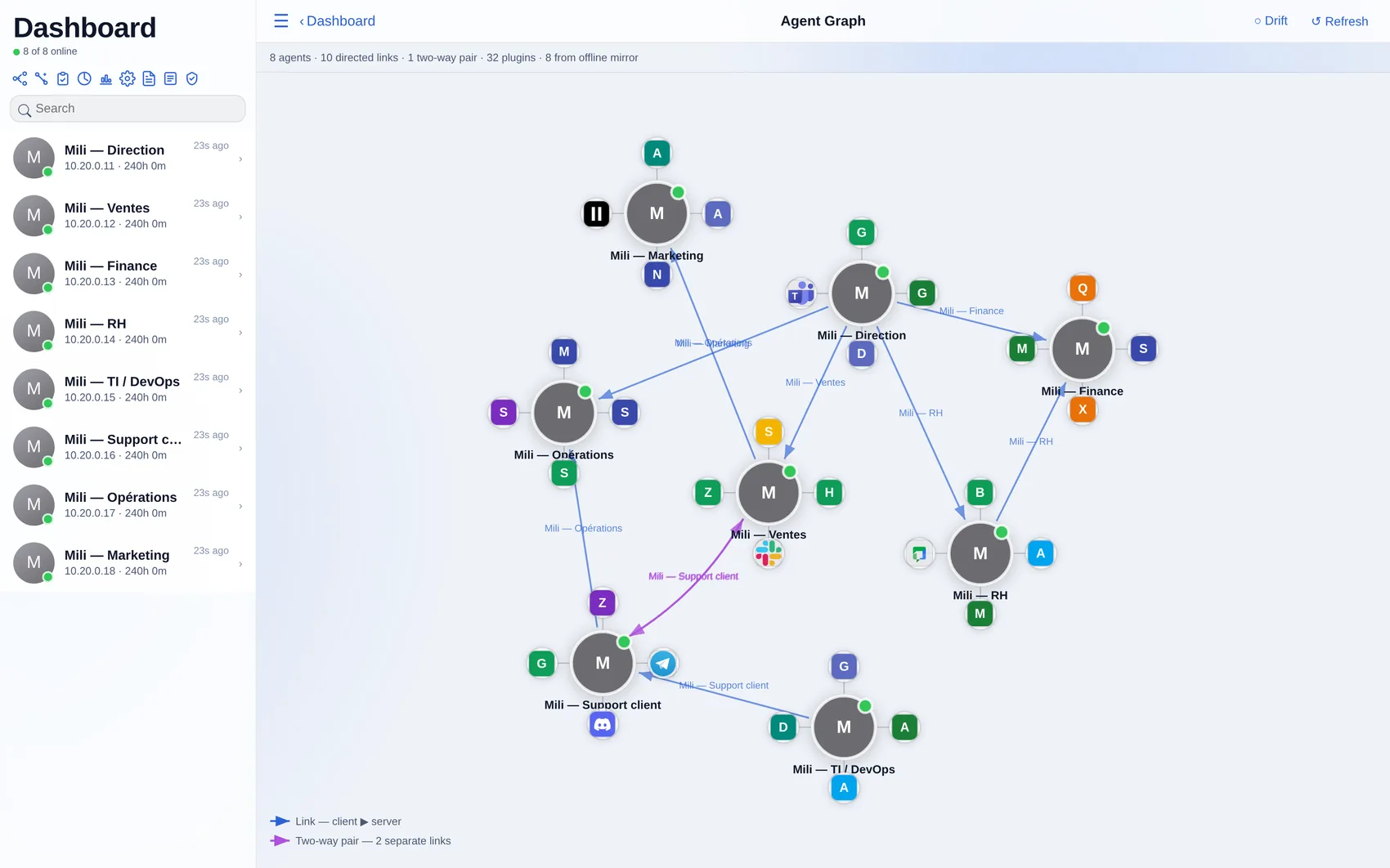
AAgent graph — the live fleet, each agent’s tools and who may call whom.
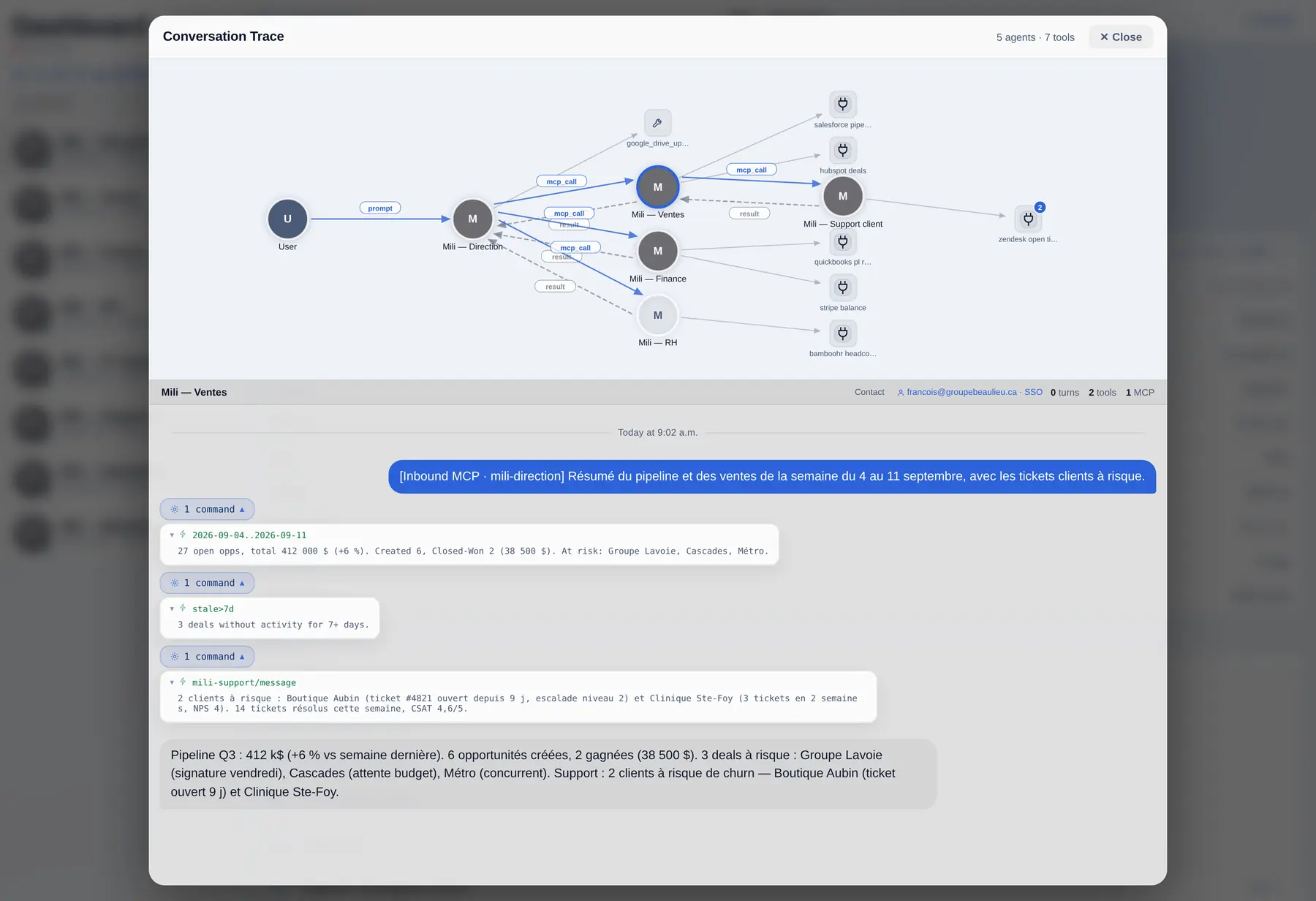
BMCP trace — every prompt, hand-off and tool call, end to end.
What we keep, and what we never see
| Data | Where it lives | Logged by us? |
|---|---|---|
| Your files and documents | Your hardware only | Never |
| Credentials, API keys, tokens | Encrypted vault on your hardware | Never |
| Mobile app conversations | Direct, end-to-end encrypted link between the app and your agent | Never |
| Prompt and model response content | Transits encrypted to our own servers; processed in memory | Never |
| Model name, token counts, timestamp, IP address | Our inference gateway | Yes — reliability, security and billing |
| Account and billing details | Mili (Canada) and Stripe (US) — billing only, never your prompts | Yes — see the privacy policy |
Core infrastructure principles
Proven engineering and practical purpose, for organizations that must automate real work without handing their data to a multi-tenant AI cloud.
- Local first
- The agent, its memory, its tools and its indexes are on your machine. Uninstall it and nothing of yours remains anywhere else.
- Tool-by-tool access
- Every capability — file system, shell, browser, each connected application — is granted individually. The agent cannot touch what you have not enabled.
- Traceable actions
- Each step the agent takes is recorded locally with its reasoning, so you can audit what was done and why.
- Open protocol
- Integrations use the Model Context Protocol. Mili is both an MCP client and an MCP server, so it plugs into the ecosystem instead of locking you in.
- MCP secured with OAuth 2.1
- Both directions authenticate with OAuth 2.1, not just static tokens. As a client, Mili connects to protected MCP servers using authorization-code with PKCE, metadata discovery (RFC 9728 / RFC 8414), dynamic client registration (RFC 7591) and resource indicators (RFC 8707). As a server, Mili is an OAuth 2.1 resource server implementing the MCP authorization spec: external clients — Claude Desktop, Claude.ai custom connectors, ChatGPT — register themselves and sign in through your own identity provider (Microsoft Entra ID, Google Workspace or self-hosted OIDC), with no pre-shared secrets to distribute.
- Privacy by default
- Your data stays under your control; inference runs on our own servers, never on a US AI service; no prompt content is retained; a privacy officer is designated. Locations and processors are listed in the privacy policy.
See it run on your own machine.
Install in one command, then grant access to your first tool.